Five Mics (Mobile TCG)
A mobile trading card game bringing hip-hop culture into play
Designed and implemented the UI/UX for a hip-hop-inspired mobile trading card game, redesigning onboarding, building social features, and creating core gameplay interfaces with a bold visual language, bringing interactions to life in Unity with a focus on clarity and player engagement.
Team
Five Mics Studios
MY ROLE
UI/UX Designer, Technical Implementation
TOOLS
Figma, Unity, C#, Adobe Photoshop, Adobe Illustrator
Timeline
Aug 2023 - Aug 2024
01
Project Objectives
GOAL
Adapt desktop gameplay for mobile with a seamless interface.
Enhance UI accessibility and visual appeal.
Design intuitive onboarding for new players.
Strengthen social features to boost player interaction.
CHALLENGE
Design a clear and intuitive interface to guide players while addressing the visual presentation of complex interactions.
RESPONSIBILITIES
UI/UX Redesign - Transforming desktop to mobile
Prototyping - Transition & motion design
Implementation - Hand-off with Unity UI and interactions built by C#
02
Visual Direction
Starting with visual keywords from the founder, I explored mood boards and narrowed the direction to a balance between cyberpunk futurism and graffiti-inspired street culture. Referencing games like Marvel Snap, I extracted a focused palette of bold, saturated colors grounded by dark neutrals to capture the energy of hip-hop while keeping the UI clear and cohesive.
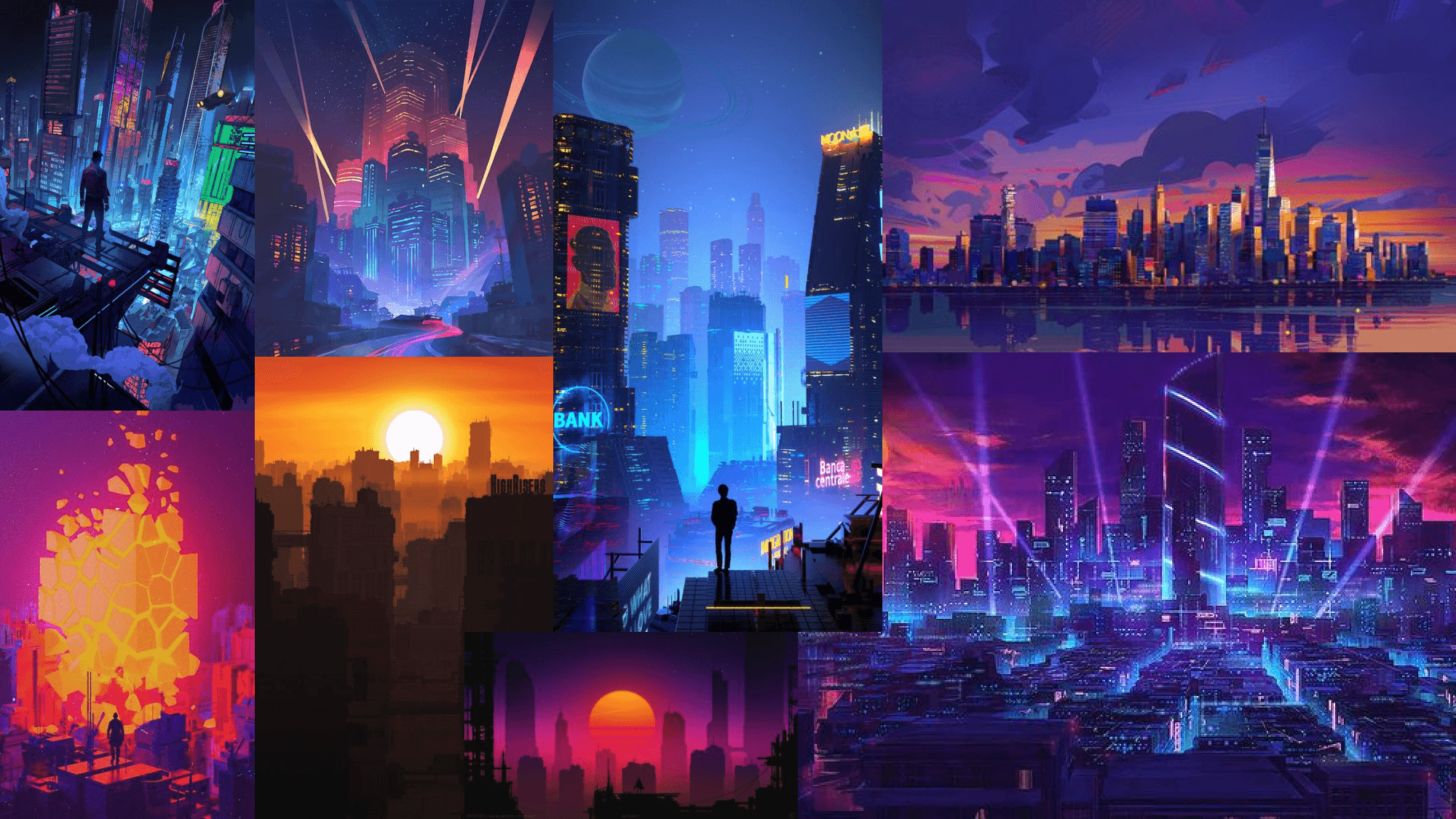
Mood Board
Color Palette
03
User Flow
*Only publicly released screens are shown to ensure confidentiality.

04
Hi-fi User Interface

Landing
GOAL
Create a strong first impression and effortlessly guide both new and returning players.
Solution
Bold, eye-catching imagery with clear, intuitive buttons and concise text.

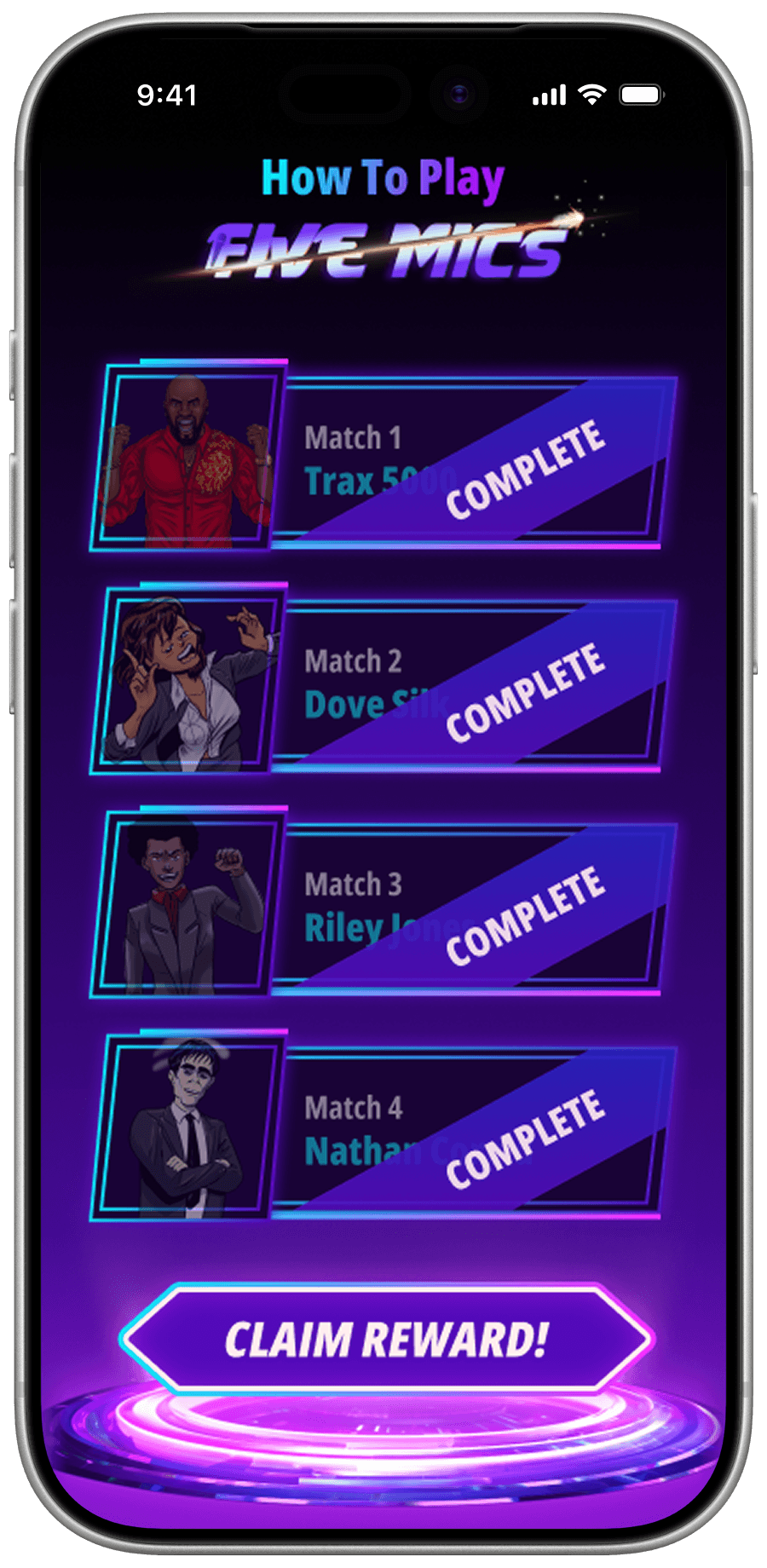
Tutorial Progression
GOAL
Motivate players to progress through the tutorial without losing interest.
Solution
Reward players with collectible incentives and visually satisfying "completed" badges for a sense of achievement.
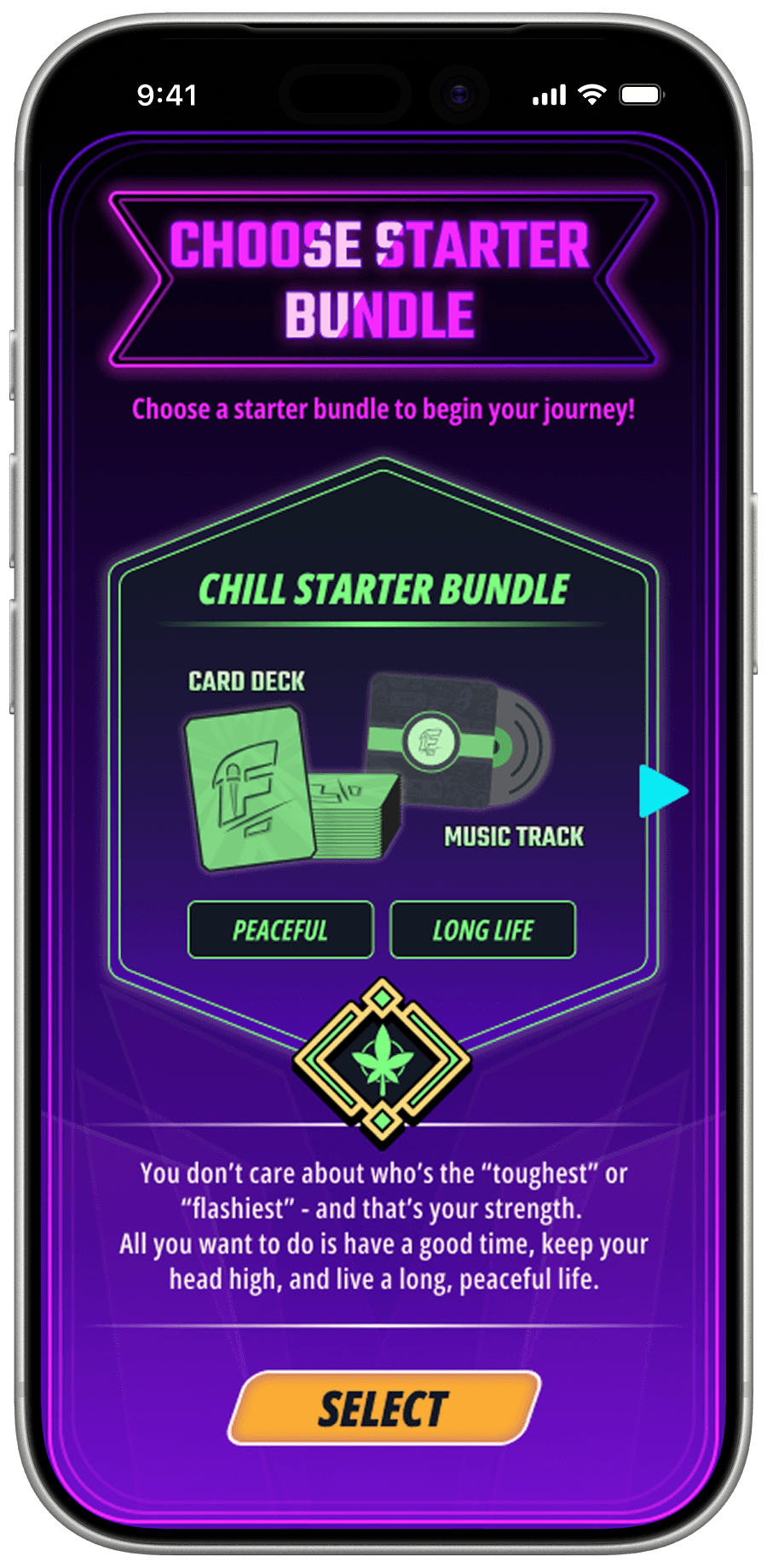


Account Creation
GOAL
Make signing up engaging and enjoyable.
Solution
Let players choose their starter bundle and avatar first for excitement, followed by the sign-up form.


Home / Main
GOAL
Showcase player info, enable seamless navigation, and maintain visual excitement.
Solution
Use clean visual sections for organization and dynamic slides for announcements and updates.

GOAL
Make selecting an AI opponent quick and intuitive.
Solution
Use distinct colors and highlighted features to differentiate each AI opponent.

GOAL
Make selecting an AI opponent quick and intuitive.
Solution
Use distinct colors and highlighted features to differentiate each AI opponent.

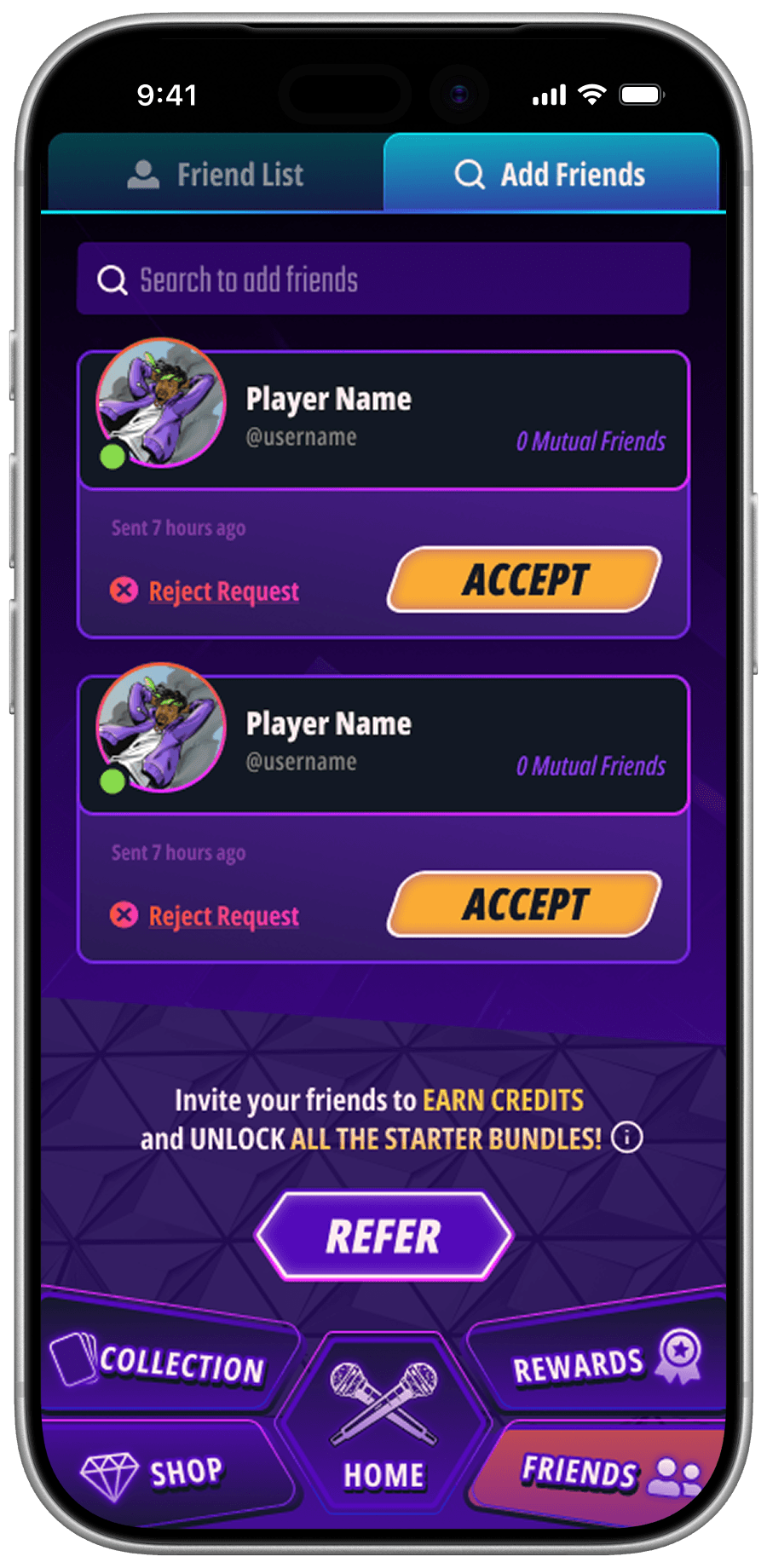
Socials
GOAL
Provide a streamlined experience for managing friends and adding new ones.
Solution
Organize features with tabs, include sorting and search options, and encourage inviting friends with rewards.

Battle
GOAL
Ensure smooth and intuitive navigation during battles on a mobile screen.
Solution
Display only essential information and include a hint button for additional guidance.
05
Unity Implementation
After iterating on the UI with the team, I implemented the responsive interfaces in Unity, including button animations, scene transitions, and drag-and-drop interactions. I also created custom shaders for holographic card upgrades to enhance visual feedback and reinforce the game’s visual identity.
Button Animation
UI Implementation
3D Holographic Card Design (Shader)
06
Result & Feedback
Players praised the eye-catching visuals and seamless interactions, boosting overall user satisfaction. The narrative-driven tutorial tripled completion rates and reduced player drop-off during onboarding.
Strong visual cohesion left a lasting impression, making the interface intuitive and memorable. During the demo launch window, we gathered insights from surveys, playtests, and analytics to release 3 targeted iterations. These updates resolved key pain points, enhanced usability, and increased returning user rates by 20%.
Each change reflected our commitment to delivering a polished, player-first experience.